How to Optimise Google Business Profile for AI Search in the USA

Introduction: Why Google Business Profile Matters for AI Search
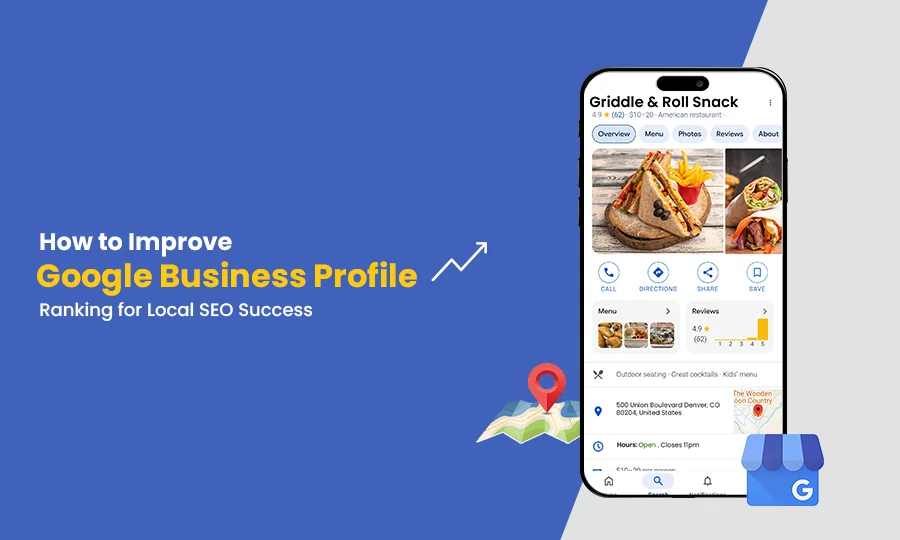
Local search is evolving as customers increasingly use conversational queries, AI-powered search experiences and business recommendations to find nearby services. Instead of searching only for a business category, users may ask questions such as “Which digital marketing agency in Austin works with small businesses?” or “Find a reliable HVAC company near me that offers emergency repairs.”
Google Search, Google Maps and AI-powered search experiences help people discover businesses and evaluate their options. In this environment, accurate business information, relevant services, customer reviews and a well-optimised website can all contribute to a stronger local online presence.
Google Business Profile is an important part of this process. It allows eligible businesses to manage how their information appears on Google Search and Maps, including business categories, contact details, operating hours, photographs and customer reviews.
However, completing a profile does not guarantee inclusion in AI-generated answers or higher rankings. Businesses need to combine Google Business Profile optimisation with useful website content, accurate location information, genuine customer feedback and a consistent presence across relevant online platforms.
This guide explains how US businesses can optimise their Google Business Profile, manage multiple locations and strengthen their local SEO strategy for an increasingly AI-driven search environment.
1. Set Up and Optimise Your Google Business Profile
Start by claiming or creating your Google Business Profile and completing Google's verification requirements. Before creating a new listing, check whether a profile already exists for your business to avoid unnecessary duplicates.
Your business name should reflect the name customers recognise in the real world. Avoid adding extra keywords, city names or promotional phrases unless they are genuinely part of your established business name.
Choose the right business category
Your primary category should describe the main type of business you operate. Add secondary categories only when they accurately represent additional activities.
For example, a business primarily offering plumbing services should select the most appropriate plumbing category rather than adding unrelated categories to capture more searches.
Categories help Google understand the nature of your business and match your profile with relevant local queries.
Complete your business information
Provide accurate details about your services, phone number, website, operating hours and business attributes. Add holiday hours when relevant, and ensure appointment or booking information is current.
Your business description should explain what your company does, whom it serves and what customers can expect. Use natural language rather than repeating keywords.
For example, a US-based home services company could describe its residential repair services, the types of projects it handles and the communities it serves.
A complete profile gives potential customers a clearer picture of your business. It also contributes useful information to the wider local search ecosystem, where Google may combine owner-provided details with information from websites and other sources.
2. Manage Multiple Business Locations Across the USA
Businesses operating multiple offices, retail stores, clinics or service locations need a clear approach to location management.
Eligible physical locations should generally have separate profiles when each represents a distinct, qualifying business location. These profiles can be managed through a shared Google account or business group, making it easier to maintain information across branches.
Each profile should accurately represent its specific location.

Maintain accurate information for every branch
Keep the business name, address, phone number, opening hours and relevant categories accurate for each eligible location. Use location-specific photographs and provide details about the services actually available at that branch.
For example, a dental practice with offices in Dallas, Houston and Austin should maintain accurate information for each eligible office instead of combining all three into one profile.
Similarly, a business with different service offerings across locations should ensure each profile reflects the services available locally.
Link each profile to the relevant website page
A multi-location business should create dedicated website landing pages when each location needs its own detailed information.
A company operating in Chicago and Milwaukee, for example, could provide separate pages describing the services, contact details, opening hours and relevant projects associated with each location.
Where appropriate, link the Chicago profile to the Chicago landing page and the Milwaukee profile to the Milwaukee page rather than directing every listing to the homepage.
This gives customers a more direct route to the correct information and helps establish clear relationships between individual branches and their website content.
Follow Google's location eligibility rules
Do not create profiles for virtual offices, unstaffed locations or service areas where your business does not meet Google's eligibility requirements.
Businesses that travel to customers, such as plumbers or mobile repair providers, may qualify as service-area businesses. These businesses generally need to hide their residential or non-customer-facing address and define a service area accurately.
Correct location management is more valuable than creating additional profiles that do not comply with Google's policies.
3. Connect Google Business Profile With Your Website
Your Google Business Profile and website should communicate consistent, accurate information about your company.
Start by adding the correct website URL to your profile. For a business with multiple locations, use the relevant location landing page when one is available and appropriate.
Your website should clearly explain your services, service areas, contact options and business hours. Make phone numbers clickable on mobile devices, provide accessible enquiry forms and ensure appointment or booking links work correctly.
Keep business information consistent
Review the business name, address, phone number and website details shown across your website and important business listings.
Consistency helps customers verify that they have found the correct business. It also reduces confusion caused by outdated phone numbers, old addresses or conflicting operating hours.
For businesses with several locations, ensure that each landing page displays the correct branch information rather than repeating a central address across every page.
Use structured data appropriately
Relevant LocalBusiness structured data can help search engines interpret information about a business, such as its name, address, contact details and opening hours.
Choose the most appropriate supported business type and ensure that the structured data accurately reflects the visible website content.
Structured data does not guarantee a particular ranking, AI citation or enhanced search result. It is one supporting element within a broader SEO strategy.
4. Keep Your Profile Updated With Photos, Services and Business Information
An accurate profile helps potential customers decide whether your business meets their needs.
Upload genuine, high-quality photographs that represent your company. Depending on your industry, these might include storefront images, team photographs, products, completed projects, equipment or examples of your work.
Avoid misleading images or photographs that create an inaccurate impression of your business.
Where Google Business Profile supports service or product information for your business category, add relevant details and keep them current. Review seasonal opening hours, holiday closures, appointment availability and temporary changes regularly.
You can also use available profile update features to communicate relevant announcements, events, offers or new services.
These activities primarily improve the accuracy and usefulness of your business information. Posting frequently or uploading a particular number of images should not be treated as a guaranteed ranking technique.
5. Build a Consistent Presence on Relevant US Business Directories

Google is an important discovery platform, but customers may also encounter your business through industry directories, review websites, maps and professional associations.
For US businesses, the right third-party platforms depend on the industry, location and audience.
Yelp can be relevant for restaurants, home services, salons and many local businesses.
Tripadvisor is particularly relevant to eligible hotels, attractions, restaurants and travel-related businesses.
Bing Places for Business supports business visibility within Microsoft's local search ecosystem.
Apple Business Connect helps businesses manage information displayed across Apple Maps and related Apple services.
Better Business Bureau (BBB) can provide a business presence for eligible companies and help consumers research business information.
Industry associations, local chambers of commerce and reputable regional directories may be valuable for specific sectors.
Do not create listings indiscriminately. Prioritise platforms that customers in your market actually use and that are relevant to your services.
Maintain consistent listing details
Review your business name, phone number, website, address, operating hours and service descriptions across important platforms.
Correct outdated information, resolve duplicate listings where possible and ensure each listing represents a legitimate business or eligible location.
Third-party listings can improve discovery opportunities and provide additional sources of business information. However, simply appearing on more directories does not guarantee better Google rankings or AI recommendations.
6. Optimise Customer Reviews for Trust and Local Relevance
Customer reviews influence how potential customers evaluate a business. They can provide useful evidence about service quality, communication, reliability and customer experience.
Encourage genuine customers to share honest feedback after working with your business. You can make the process convenient by sharing your review link through appropriate customer communications.
Do not purchase reviews, create fake testimonials, offer prohibited incentives or pressure customers to leave only positive feedback.
Respond professionally to reviews, including negative ones. Acknowledge concerns, provide an appropriate response and take conversations involving private customer information offline when necessary.
Avoid asking customers to include specific keywords in their reviews. Authentic feedback is more valuable than artificially engineered language.
Review quality and other reputation signals may contribute to local prominence, but no particular review count or rating guarantees AI visibility. Use customer feedback to improve your service as well as your online reputation.
7. Strengthen Website Content for AI-Powered Local Search
Google Business Profile provides essential business information, but your website can explain your expertise and services in much greater detail.
Start by creating useful service pages that clearly describe what you offer, the customers you serve, your process and how people can get started.
For businesses serving multiple cities, develop location-specific landing pages when each page can provide meaningful information about the area.
For example, a commercial cleaning company serving Phoenix and Scottsdale could explain the services available in each market, the types of properties it serves and relevant project experience where available.
Avoid creating dozens of nearly identical city pages by changing only place names. Thin, repetitive pages offer little value and may violate Google's spam policies when created to manipulate search results.
Answer the questions customers actually ask
Consider the questions people ask before choosing your business:
What services are available?
Which areas do you serve?
What is the typical process?
How can customers request a quote?
Are appointments required?
What qualifications or experience does your team have?
Provide clear answers supported by accurate information. Use descriptive headings, logical internal links, genuine examples and appropriate contact details.
Google's guidance for AI features emphasises foundational SEO, useful content, accessible pages and accurate business information. There is no separate profile setting or special schema that guarantees inclusion in AI Overviews or AI Mode.
The objective is to make your business information easy to understand and useful to both potential customers and search systems.
8. Avoid Common Google Business Profile Optimisation Mistakes
Several avoidable problems can weaken your local presence or undermine customer trust.
Using extra keywords in your business name, creating duplicate profiles, listing ineligible virtual offices and displaying inaccurate service areas can create compliance issues.
Other mistakes include sending every location's profile to the same irrelevant landing page, leaving opening hours outdated, ignoring customer reviews and publishing misleading photographs.
Businesses should also avoid buying reviews, creating fake directory listings or producing repetitive website pages solely to target more cities.
A Google SEO Expert can help identify these problems, prioritise improvements and build a strategy that connects profile management with website content and local search performance.
9. Measure Google Business Profile and Local SEO Performance
Optimisation should be guided by actual customer activity rather than assumptions about rankings.
Google Business Profile performance reporting can show available metrics such as profile views, search terms, calls, website clicks, direction requests and other interactions. The exact metrics depend on the business and profile.
Google Search Console provides additional information about website impressions, clicks, queries and page performance in Google Search.
You can also use website analytics and conversion tracking to monitor enquiry form submissions, bookings, phone leads where tracking is configured, and other meaningful business outcomes.
Review the results over consistent time periods. If a location page attracts visitors but generates few enquiries, consider whether the content answers customer questions and provides a clear next step.
For multiple locations, compare performance by branch and investigate differences in visibility, customer engagement and conversion rates.
10. Google Business Profile Optimisation Checklist
Use this checklist to review your local search presence:
Verify and complete each eligible Google Business Profile.
Confirm the real-world business name and appropriate categories.
Review addresses, phone numbers, hours and service areas.
Link each profile to the most relevant website page.
Add accurate services and genuine photographs.
Monitor reviews and respond professionally.
Correct inconsistent or outdated directory listings.
Create useful service and location landing pages.
Implement relevant structured data that matches visible content.
Check indexing, mobile usability and internal links.
Monitor profile interactions, website traffic and qualified enquiries.
Revisit the information whenever the business changes.
Conclusion
Optimising Google Business Profile for AI search in the USA requires more than completing a business listing. It involves maintaining accurate profile information, managing eligible locations correctly, linking to relevant website pages and building a credible presence across appropriate directories.
Customer reviews, genuine photographs, detailed service pages and useful location content can help potential customers understand your business and evaluate its services. Consistent information across your website and business profiles also makes it easier to verify important details.
Most importantly, treat Google Business Profile optimisation, website SEO and reputation management as connected parts of one strategy. There is no guaranteed shortcut to AI recommendations, but a trustworthy, accurate and useful online presence gives customers and search systems better information with which to understand your business.
Frequently Asked Questions About Google Business Profile
What is Google Business Profile optimisation?
Google Business Profile optimisation involves improving the accuracy and completeness of your business listing, including its categories, contact details, hours, services, photographs and reviews. It helps customers understand your business and supports local discovery on Google Search and Maps.
Can Google Business Profile help a business appear in AI-generated answers?
Google Business Profile can help Google access accurate local business information, and Google states that Business Profile information can support visibility in AI responses and other Search experiences. However, no optimisation technique guarantees that a business will appear in a particular AI-generated answer.
How do I optimise Google Business Profile for multiple US locations?
Maintain a separate eligible profile for each qualifying physical location, with accurate branch-specific details. Link each profile to its relevant website landing page and avoid duplicate listings or locations that do not meet Google's eligibility requirements.
How important are customer reviews for Google Business Profile?
Reviews help customers assess a business's reputation and experience. Genuine reviews and professional responses can support trust, but businesses should never buy reviews or manipulate feedback to influence rankings.
Should every Google Business Profile link to the homepage?
Not necessarily. For a business with multiple locations, linking each profile to its corresponding location page can provide more relevant information. A single-location business may appropriately link to its homepage or its most relevant service page.
Do business directories help with Google SEO?
Relevant, accurate directory listings can help customers discover a business and reinforce consistent business information across the web. Their value depends on the directory, industry and audience. Creating large numbers of low-quality listings does not guarantee improved rankings.
What is the difference between a storefront and a service-area business?
A storefront business receives customers at an eligible physical location. A service-area business travels to customers and generally hides its address if customers are not served at that location. Both must follow Google's business representation and eligibility guidelines.
Should I hire a Google SEO Expert to optimise my profile?
Professional assistance may be useful if your business has multiple locations, inconsistent listings, profile eligibility problems or limited internal resources. A Google SEO Expert can help coordinate profile management, local website optimisation, review monitoring and performance tracking.
How often should I update Google Business Profile?
Review the profile regularly and update it whenever business details change. Keep opening hours, services, contact information and photographs accurate, and monitor reviews and customer interactions. There is no universal posting frequency that guarantees higher rankings.


Comments